 AIFind
Studioshot vs HeadshotPro 2026: AI Headshots Compared
Choose Studioshot for photographer-designed styles, up to 120 portraits per order and free human-led retouching. Choose HeadshotPro for a 15-minute top tier, a 14-day free redo and ready-made team ordering. Both charge per photoshoot rather than a subscription, both promise your money back, and prices start at about $29.
Studioshot vs HeadshotPro at a Glance
| Studioshot | HeadshotPro | |
|---|---|---|
| Built around | Curated photoshoot styles designed by real photographers | Selfies in, studio headshots out, with a profile picture editor |
| Entry price | Essential $29.25 per shoot (listed $38.90) | Basic $29 one-time |
| Images | 40, 80 or 120 depending on plan | 30, 50 or 70 depending on plan |
| Turnaround | Under 3 hours, 2 hours or 1 hour | About 2 hours, 30 minutes or 15 minutes |
| Retouching | Free retouches: 2, 4 or 6 by plan | Photo credits for edits: 6, 26 or 46 by plan |
| Resolution | 4K | 4K on the $59 Executive tier |
| Teams | Team plans on request | Admin dashboard, magic-link invites, from $19.50 per shoot |
| Refund | 100% money-back guarantee | 100% money-back if the result does not look like you |
Studioshot: Where It Wins
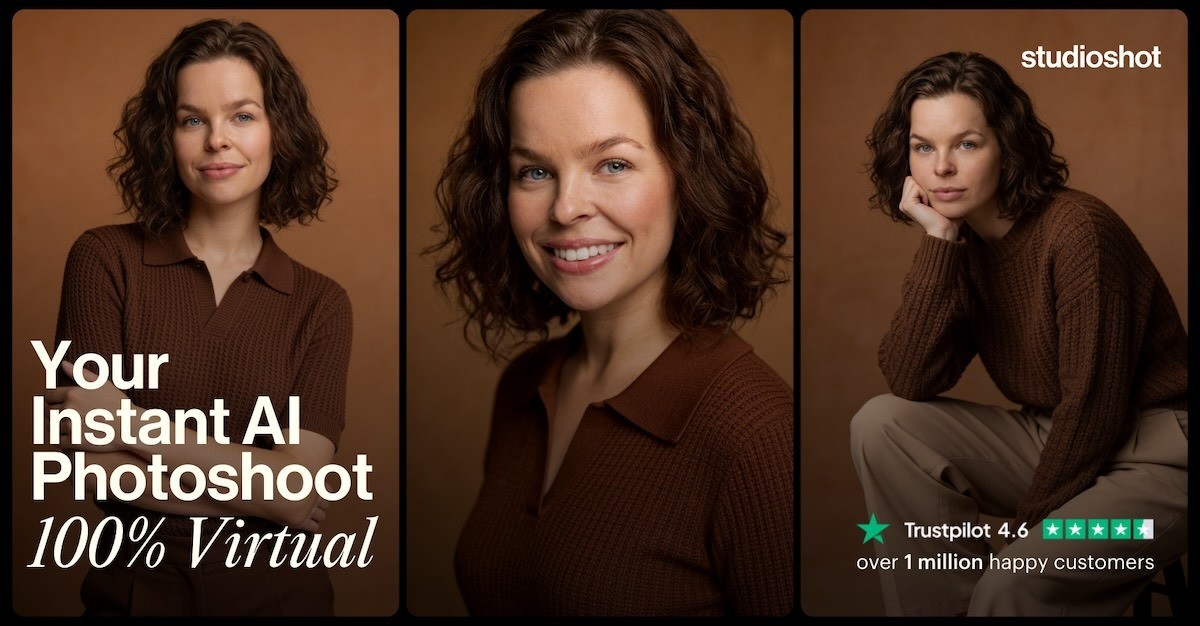
Studioshot treats each shoot as a designed look. You pick a style such as Minimalist, Charcoal Studio, Executive Office, Lawyer or Natural Lit, upload phone selfies and the AI returns dozens of portraits you can download in 4K. Styles are credited to the photographers who designed them, so the output feels curated rather than generic, and it covers casual and lifestyle scenes as well as office headshots.
Pricing is per shoot: Essential at $29.25 gets one style and 40 images, Pro at $36.86 gets two styles and 80 images, and Signature at $43.88 gets three styles and 120 images, with up to 2, 4 or 6 free retouches. Those prices are shown against higher listed prices, so confirm the amount at checkout. You can try Studioshot here.
HeadshotPro: Where It Wins
HeadshotPro is built around a fast, simple purchase. Basic at $29 gives 30 headshots with about a 2-hour turnaround, Professional at $39 gives 50 headshots in 30 minutes with a free redo within 14 days, and Executive at $59 gives 70 headshots in 15 minutes with 4K downloads. A built-in profile picture editor handles cropping, backgrounds and logo overlays.
Its larger advantage is teams. An admin sets the styles so everyone matches, members upload selfies through a magic link, credits start at $19.50 per shoot with volume discounts up to 60%, and credits do not expire. HeadshotPro also states that it does not train AI on customer photos and deletes them after use. You can try HeadshotPro here. For a head-to-head against another headshot tool, see HeadshotPro vs PhotoPacks.AI.
Pricing Compared
| Studioshot | HeadshotPro | |
|---|---|---|
| Entry | $29.25, 1 style, 40 images | $29, 30 headshots |
| Mid | $36.86, 2 styles, 80 images | $39, 50 headshots |
| Top | $43.88, 3 styles, 120 images | $59, 70 headshots, 4K |
| Billing | Per shoot | One-time, no subscription |
| Teams | Custom | From $19.50 per shoot, discounts up to 60% |
Pros and Cons
Studioshot holds up on curated styles, the largest image counts and free human-led retouching on every plan. It falls short on predictability, since prices are shown as discounts against higher list prices, free retouches are capped at 2, 4 or 6, and the page's privacy and refund details were not fully readable in what we reviewed, so read its policy before you upload.
HeadshotPro holds up on speed, a clear one-time price list and mature team tools, with a stated no-training policy. It falls short on the entry tier, since 4K and the 15-minute turnaround sit on the $59 Executive plan, and team pricing scales with headcount.
Which One Should You Pick?
- Pick Studioshot if you want a distinctive, designed look, a lot of images to choose from, or casual and lifestyle scenes.
- Pick HeadshotPro if you need a fast turnaround, a free redo window or consistent headshots across a team.
- For a one-time $24 package or a free editor, see PhotoPacks.AI and ProfilePicture.ai.
Who Should Skip This
Skip both if you need a photo that is a literal record of how you look, for example for a passport, a licence or a platform that bans AI-generated profile pictures. Results depend on your selfies and may not match your likeness, so some images will need retouching. If you only need a clean crop and a new background for a photo you already have, a free editor will do the job.
Similar Tools Available on AIFind
For another pay-once headshot service, see Secta Labs and Aragon AI. For a free editor that works on a photo you already have, see ProfilePicture.ai. Browse the Best AI Photo and Headshot Generation Tools and Best AI Tools for Personal Branding and Professional Image collections.
FAQ
Which is cheaper, Studioshot or HeadshotPro? HeadshotPro's Basic is $29 one-time and Studioshot's Essential is $29.25 per shoot, so the entry prices are close. Studioshot gives more images per dollar at the top tier, 120 images for $43.88 against 70 for $59.
Are either of them subscriptions? No. Both charge per photoshoot or per package.
Which is faster? HeadshotPro lists 15 minutes on its Executive tier, while Studioshot lists under 1 hour on Signature and says it can be as quick as 30 minutes.
Do both offer refunds? Both advertise a 100% money-back guarantee. Read each company's terms before you buy.
Some links on this page are affiliate links, so AIFind may earn a commission at no extra cost to you. See our disclosure.
This page may contain affiliate links — AIFind may earn a commission if you sign up through them, at no extra cost to you. See our affiliate disclosure for details.

Paul
Founder & Editor, AIFind
Paul is an experienced Human Resources professional with a background in applying technology, data analytics, and workflow optimization to HR management. Outside his corporate HR career, he's a seasoned content creator and digital entrepreneur: he built a YouTube channel to 60,000+ subscribers over 10 years, ran a print-on-demand e-commerce business on platforms like GearBubble, and actively uses AI tools and automation in both his own projects and enterprise work — the hands-on experience behind AIFind's tool research and reviews.